Talk to your LLM. Cast off with confidence.
A free, keyless, open-source sailing planner for any coast, with
high-precision tidal currents on the French Atlantic. Exposed as an MCP
server so any compatible assistant can use it.
Pick yours below — under a minute, no install, no API key.
OhMyWind.https://mcp.ohmywind.fr/mcpOhMyWind · Auth: None.https://mcp.ohmywind.fr/mcpOhMyWind · Authentication: No authentication.https://mcp.ohmywind.fr/mcpI'm leaving Marseille tomorrow morning for Porquerolles on a Sun Odyssey 36. How long is the passage and how tricky is it?
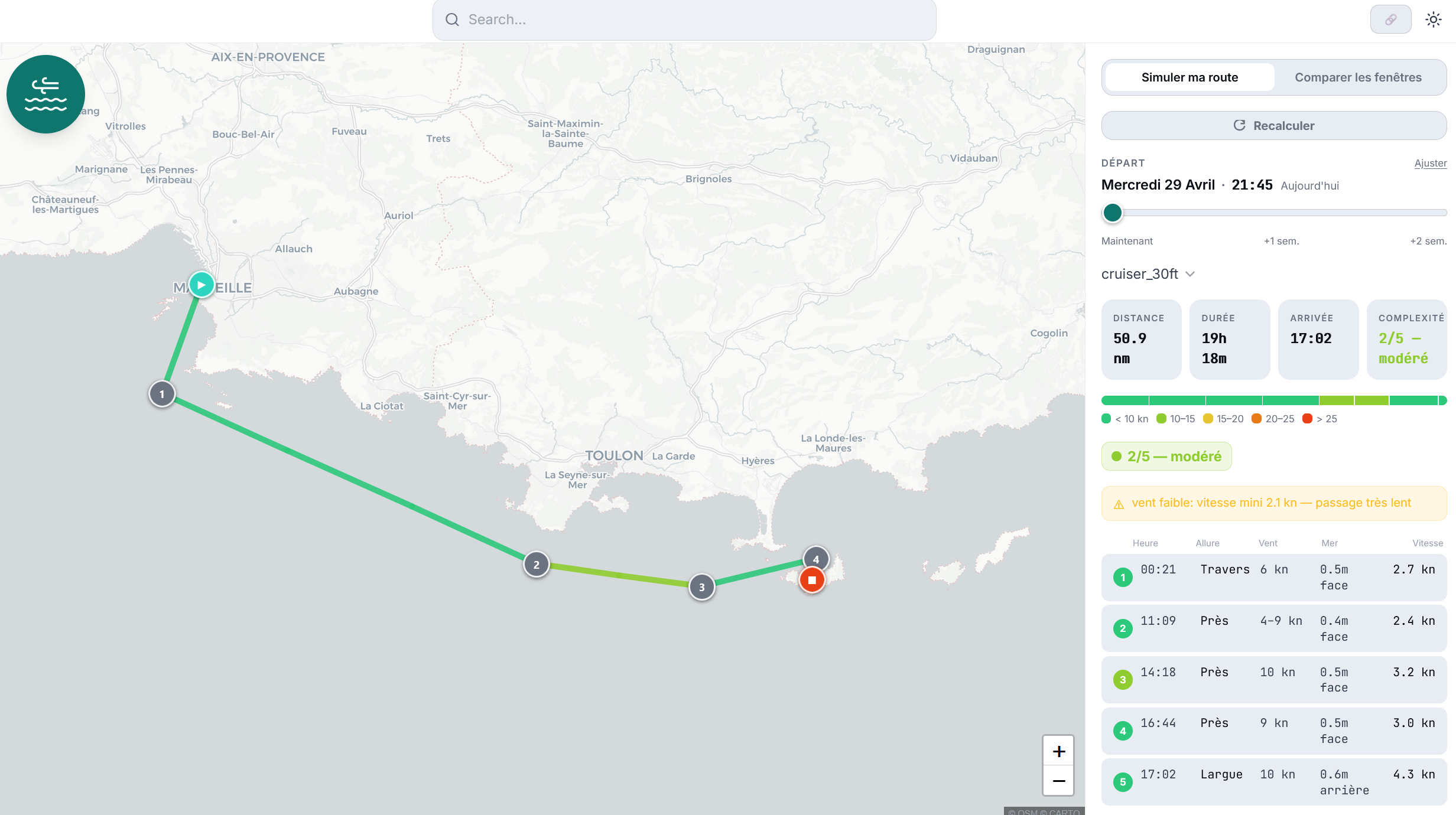
Your assistant calls the OhMyWind tools and answers in plain language. On hosts that support the MCP Apps spec (Claude, Claude Desktop, ChatGPT, VS Code Copilot, Goose, Postman, MCPJam), the live ohmywind.fr plan view also renders inline as a sandboxed iframe. On hosts that don’t (Cursor, Le Chat, terminal), the assistant hands you the same plan as a deep-link instead.
Or to compare a whole weekend’s worth of departure windows in one shot:
Marseille → Porquerolles, same boat — show me the calmest departure between Saturday morning and Monday evening.
efficiency parameter for trim and crew level.The workhorse is plan_passage: one call returns timing, a
1-5 complexity score, and an ohmywind.fr
deep-link. It declares an MCP Apps UI resource, so supporting hosts also
render the live plan view in a sandboxed iframe. Pass
latest_departure and it walks every hourly window up to 14
days out so the LLM can compare side-by-side. The other three tools
— list_boat_archetypes,
get_marine_forecast, read_me — let the
assistant pick a boat, sample the forecast ad hoc, or explain the math
behind a result.
Don’t want to wire an MCP host? You can also drive everything by hand at ohmywind.fr/plan — click your route, pick a boat, slide the departure.
Project site: ohmywind.fr · GitHub: qdonnars/ohmywind (MIT).
First request after inactivity may take a few seconds (HF Spaces cold-start).